
Reviewed by Rebecca O.
Verified Buyer
I recommend this product
Having fin
I am really enjoying learning how to use this machine.
Loading...
Was this helpful?

SKU: XT-P0101000469
This one's ours. We print a sheet of our logo stickers on the M2, swap in the laser by hand and cut them out, then peel one right off the sheet. After that you'll see engraved wood signs, leatherette hang tags, leather coasters and a printed, cut wood badge, plus a close look at the two cameras and the autofocus.
Your color jobs and your laser jobs come off the same machine, so you can add new products without making room for a second one.


Printing straight onto dense, smooth surfaces such as glass takes an ink-receptive coating first.
All six setups are the same M2. The laser power decides how thick it cuts. The package decides whether it prints in color and engraves tumblers on day one.
Cuts basswood plywood up to 8 mm thick in one pass and has the finer of the two laser spots. If most of your orders are stickers, paper, tags and engraved pieces, start here.
Cuts basswood plywood up to 10 mm thick in one pass. Go 20W if cut wood signs and thicker cut-outs are a regular part of what you sell. If you start on a 10W, you can add the 20W module later, and we sell it on its own.
Cut and engrave
Best if you mostly engrave and cut, or you'd rather start with the laser and add color later. Color printing needs the CMYK inkjet module, which we sell separately.


Print, cut and engrave
Best if stickers, labels and other full-color pieces with a clean cut edge are the reason you're buying.


All of that, plus tumblers
Best if engraved drinkware is on your list. The rotary holds tumblers, balls and rings from 0 to 100 mm across and engraves all the way around, with no riser needed.


| Setup | What's in the box | Out of the box it can | Best if you | Price | Choose |
|---|---|---|---|---|---|
| 10W / Standalone (Basic)SKU XT-P0101000469 | M2, 10W laser, base kit | Cut and engrave | Engrave and cut, and may add color later | ||
| 10W / Color Print & Cut BundleSKU XT-P0101000638 | M2, 10W laser, base kit, CMYK inkjet kit with 1 ink cartridge | Print, cut and engrave | Sell stickers, labels and small color pieces | ||
| 10W / Deluxe BundleSKU XT-P0101000524 | M2, 10W laser, base kit, CMYK inkjet kit, RA3 Lite rotary kit | Print, cut, engrave, and engrave round items 0 to 100 mm | Want stickers and engraved drinkware | ||
| 20W / Standalone (Basic)SKU XT-P0101000470 | M2, 20W laser, base kit | Cut thicker wood (up to 10 mm basswood plywood) and engrave | Cut a lot of wood and may add color later | ||
| 20W / Color Print & Cut BundleSKU XT-P0101000639 | M2, 20W laser, base kit, CMYK inkjet kit with 1 ink cartridge | Print, cut and engrave, with thicker wood cuts | Sell stickers and cut wood pieces | ||
| 20W / Deluxe BundleSKU XT-P0101000525 | M2, 20W laser, base kit, CMYK inkjet kit, RA3 Lite rotary kit | Everything above | Want the full range from day one |
Here's everything else that goes into a working setup, so nothing catches you off guard once the box is open.

In xTool Studio you import your artwork, drag it into place on the camera view, adjust the settings and preview the job before anything runs. Two cameras, a 5MP wide view and a 2MP close-up, show you what's on the bed, and autofocus takes care of the focus.
If you're new to lasers, the customizable templates and guided tutorials get your first projects out the door, and Material EasySet sets your material up for you. It connects over Wi-Fi or USB.

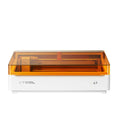
The M2 is 24.0 x 22.4 x 7.1 in and weighs 12.3 kg (about 27 lb). It's a Class 1 laser, TÜV SÜD certified, with an eye-protecting cover, a stop when you open the lid and tilt detection, so you can run it in a home studio.
Every M2 comes with a 12-month warranty from xTool.
Here's the full description, features and specs for the xTool M2 Color Craft Laser Cutter & Engraver.
Print it, cut it, and sell it, all from one machine on your desk. The xTool M2 is the first craft laser in its class that pairs laser cutting and engraving with optional full-color CMYK printing, so finished products like stickers, bag tags, door signs, and personalized gifts come off the bed ready to hand to a customer. No second machine, no transferring material between devices, no alignment guesswork.
It arrives pre-assembled, works with 300+ materials, and its enclosed Class 1 design is certified safe enough to run at the kitchen table. Whether you are testing a product idea, running a craft fair booth, or adding personalization to an existing business, the M2 is built to go from design to sellable product in one sitting.
| Processing Modes | Laser Cutting / Laser Engraving / Inkjet Printing |
| Working Area | 10W / 20W Laser: 16.7" x 12.5" (426 x 320 mm) 3W IR Laser: 16.2" x 12.2" (412 x 310 mm) Inkjet Mode: 11.8" x 11.5" (300 x 294 mm) |
| Max. Cutting Capacity | Basswood: 8 mm in one pass (10W), 10 mm in one pass (20W) Black Acrylic: 3 mm in one pass (10W), 8 mm in one pass (20W) |
| Maximum Speed | 600 mm/s |
| Laser Spot Size | 10W: 0.04 x 0.06 mm / 20W: 0.06 x 0.08 mm |
| Max. Rotary Engraving Diameter | 100 mm |
| Built-in Cameras | 5MP Panoramic Camera / 2MP Close-Range Camera |
| Positioning | Camera Positioning / Precision up to 0.2 mm |
| Ranging Precision | 0.1 mm (probe) |
| Motion Accuracy | 0.01 mm |
| Focus Mode | Autofocus |
| Air Assist | Built-in air pump with adjustable output |
| Safety Certification | Class 1 Laser Safety (TUV SUD Certified) |
| Product Dimensions | 24" x 22.4" x 7" (610 x 569 x 180 mm) |
| Product Weight | 27.1 lb (12.3 kg) |
| Power | Max. Input: 200 W / Adapter: 100 V - 240 V AC, 50/60 Hz |
| Connection Methods | USB / Wi-Fi |
| Supported Files | SVG / DXF / JPG / JPEG / PNG / BMP |
| Software | xTool Studio / Windows and macOS |
This is the module that turns the M2 from a laser into a product line. Four-color CMYK printing means HD photos, rich true blacks, and colors that look retail-ready, and the laser then cuts each printed design out with camera-guided precision in the same session. At roughly 800 pages per cartridge, one cartridge covers a lot of craft fair inventory.
| Ink Colors | Black / Cyan / Magenta / Yellow (CMYK) |
| Print Resolution | 1200 x 1200 DPI |
| Max. Print Area | 391.5 x 290 mm (approx. 1.7x the size of A4) |
| Ink Capacity | 40 ml total (10 ml per color) |
| Page Yield | Approx. 800 pages per cartridge (ISO/IEC 24712 at 5% coverage) |
| Ink Type | Water-based ink (replacement cartridge model MXD-P002-012) |
| Cuttable | Wood / Opaque Acrylic / Paper / Cardstock / Cardboard / Foam / MDF / Leather / Felt |
| Engravable | Wood / Opaque Acrylic / Leather / Stainless Steel / Aluminum / Plated Metal / Paper / MDF / Cardboard / Felt / Rubber / Glass / Plastic / Cork / Ceramic |
| Printable (with CMYK Module) | Photo Paper / Sticker Paper / Temporary Tattoo Paper / A3 and A4 Paper / Cardstock / Napkin / Shrink Film / Felt |
| Printable with Pre-Treatment | Wood / Canvas / Satin Fabric / Acrylic / Glass Requires an ink-receptive coating before printing |
Everything needed for the first cut is included, down to the masking tape and a starter material pack. Setup is unbox, connect, create.
Bundle configurations include additional items such as the CMYK inkjet module and material packs. See the selected bundle for full contents.
The M2 is a platform, not a single-purpose tool. Add capabilities as your products (and orders) grow:
To print them, yes. The Standalone cuts and engraves but doesn't print. If you start with a Standalone, you can add the CMYK inkjet module later, and we sell it separately.
Something to cover the baseplate (no cutting mat comes in the box), sticker or photo paper for color jobs, and ink as you use it. The color bundles include one cartridge. You won't need an air compressor or a separate air assist, because the air pump is built in.
Yes. A 10W can take the 20W laser module for thicker wood, a Standalone can take the CMYK inkjet module for color, and there's a 3W infrared module too. We sell all three separately.
With the Deluxe Bundle, yes. Its RA3 Lite rotary holds round items from 0 to 100 mm across, like tumblers, balls and rings, and the M2 engraves them all the way around without a riser.
Laser work covers 16.7 x 12.6 in. Color printing covers 11.8 x 11.5 in.
In one pass, the 10W cuts basswood plywood up to 8 mm and the 20W up to 10 mm.
xTool Studio, over Wi-Fi or USB. It has customizable templates, guided tutorials and Material EasySet for setting up your material.
Multiple financing options, including Affirm and Synchrony. View financing options
Tell us what you'll make, and we'll match the power, package and supplies to it.
In Business Since 1986By submitting, you agree to be contacted by All American Print Supply about your inquiry.