





















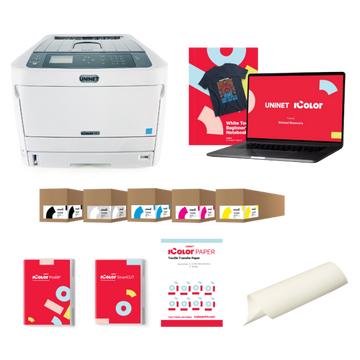





























Machine type
 Prestige XL series (L2, XL2, XL2 Pro, XL3, XL4)
 DTF Station Prestige R2 Pro
 DTF Station Prestige R1
 DTF Station Prestige R2 (original)
 Prestige X6
 DTF Station Prestige A4
 DTF Station Prestige A3+ and A3+ R
 Epson SureColor G6070 DTF printer
 Mimaki TxF300-1600
 Mimaki TxF330-800
 STS XPD-924D DTF Printer (Mutoh)
 STS VJ-628D DTF Printer (Mutoh)
 DTF Station Vega S17
 STS XpertJet 1682D (XPJ-1682D) 64 inch DTF Printer
 STS XPD-724 DTF Printer (Mutoh)


 Hotronix Fusion IQ, Air Fusion IQ and Dual Air Fusion IQ
 Geo Knight DK20S and DK20SP Digital Knight Swing-Away Presses
 DTF Station Maxima and Proxima Dual Heat Presses
 Hotronix Auto Open Clam and Hover Heat Press
 DTF Station Prisma Auto Heat Press
 DTF Station Prisma Dual Heat Press
 DTF Station Prisma Swing Heat Press
 Insta 718, 728 and 828 Automatic Swing-Away Heat Presses
 DTF Station Prisma Sentry Heat Press
 Geo Knight DC16 and DC16AP Digital Combo Swing-Away Presses
 Geo Knight DK Digital Clamshell Presses: DK20, DK16, DKA Auto, DK8 Label and DK7 Cap
 Hotronix Auto Open Cap Press and 360 IQ Hat Press
 Hotronix Craft Heat Press 9 x 12
 Hotronix Mighty Mug Heat Press
 Insta 256 and 288 Manual Swing-Away Heat Presses
 Insta 907 Dual Station Shuttle Label Heat Press


 Viper MAXX pretreatment machine
 Ecofreen Mister-T2 and Mister-T2 Pro pretreatment machines
 Pearl Elite and Pearl PTM DTG pretreatment machines
 Viper XPT-1000 pretreatment machine
 Lawson Silver-Jet and Silver-Jet V2 DTG Pretreat Sprayers
 Lawson Zoom-AE DTG pretreatment machine
 Viper MINI handheld DTG pretreatment machine


Brand
Prestige XL series (L2, XL2, XL2 Pro, XL3, XL4)
DTF Station Prestige R2 Pro
DTF Station Prestige R1
DTF Station Prestige R2 (original)
Prestige X6
DTF Station Prestige A4
DTF Station Prestige A3+ and A3+ R
 DTF Station Aries 124 UV DTF printer
 Miro DTF Powder Shakers: Miro 13 Max, 16, 24 and 36
 DTF Station Aries 213 and Aries 113 UV DTF printers
 Seismo L16R and L24R DTF Powder Shaker and Dryer
 Phoenix Air 16x20 DTF Curing Oven
DTF Station Maxima and Proxima Dual Heat Presses
DTF Station Prisma Auto Heat Press
DTF Station Prisma Dual Heat Press
DTF Station Prisma Swing Heat Press
DTF Station Vega S17
DTF Station Prisma Sentry Heat Press
 DTF Station Seismo V36R DTF Powder Shaker and Dryer
 DTF Station Arc 127 automatic cutter for DTF and UV DTF film
 Epson SureColor F2100
Epson SureColor G6070 DTF printer
 Epson SureColor F2270
 Epson SureColor F3070
 Epson SureColor F570
 Epson SureColor F170
 Epson SureColor F6470 and F6470H
 Epson SureColor F6370
 Epson SureColor F7200
 Epson SureColor P-Series photo printers (P700, P900, P6570, P8570)
 Epson SureColor T-Series CAD and technical printers
 Epson SureColor S-Series (S40600, S60600, S80600)
Vastex exposure unit glass removal and cleaning, and the monthly LED light bar check
Unplug the unit, loosen the retainers (and on the E-200 and E-2000 remove the front retainer and its three cams), slide the glass forward and lay it on a flat, protected surface. Vacuum out the cabinet, clean both sides of the glass, then slide it back tight against the rear seal and turn the cams just enough to seal. Once a month, with UV rated eye protection on, run the lights and check every LED bar is lit.
Unplug the power cord before removing the glass or opening the cabinet. Wear gloves when handling the glass. It's tempered, but it can shatter if an edge is knocked. Only lay it on a flat, protected surface.
When to do it
Wipe the top of the glass before every screen. Take the glass out to clean both sides and the cabinet whenever dust or debris builds up underneath, before you inspect or replace a light bar, and whenever you need to check the rear glass seal for a vacuum leak. On vacuum units the glass has to sit tight against that rear seal, so take your time reseating it.
Remove the glass
| Model | How it's held |
|---|---|
| E-20 | Three retainers held by #8 screws. Loosen the screws to raise the retainers and slide the glass off. |
| E-200, E-2000 | A retainer on each side and a front retainer with three cams that push the glass back against the rear seal. Remove the cams and front retainer and slide the glass toward you. |
Clean and reinstall
-
Vacuum the cabinet
Vacuum out loose debris inside. Don't touch the LED lenses.
-
Test the pump
On the E-200 and E-2000, switch the vacuum pump on and off once to make sure it works before the glass goes back.
-
Clean the glass
Clean both sides with glass cleaner and a lint free rag.
-
Reseat it
E-20: slide the glass between the side retainers until it sits squarely against the back retainer, push the retainers down and tighten the screws without stripping them. E-200 and E-2000: set the glass seal side down, blue tape toward the front, slide it back until it sits squarely against the rear seal, place the front retainer and three cams, and only snug the screws.
-
Set the cams
With a 1/4 in flat screwdriver in each cam slot, rotate the cams to push the glass back. Use enough pressure to seal without overtightening, then tighten the center screws. If the vacuum leaks, give the cams a little more.
Monthly LED check
-
Eye protection
Put on dark, UV rated glasses. Never look at the LEDs without them.
-
Run the lights
E-20: switch to expose. E-200: lift the lid, hold down the lid safety switch on the left side of the cabinet, turn the vacuum timer all the way down and press start. E-2000: lift the lid, hold the safety switch and press the green start button.
-
Look for dark bars
Every bar should light. If one doesn't, note where it is and contact us for a replacement.
Vastex's manuals show how to swap a bar (glass out, unplug, disconnect, two screws or a nut). Text us a photo of the dark bar and your model at (562) 609-4996 first so we send the right one.
Common questions
What should I clean the glass with?
Glass cleaner and a lint free rag, on both sides.
Which way up does the E-200 or E-2000 glass go?
Seal side down, with the blue tape toward the front.
One LED bar is out. Can I keep exposing?
Vastex says it may be possible, but the unit needs a repair for best results. Contact us for the right replacement bar for your model.
How do I test the lights with the lid up?
On the E-200 and E-2000, hold down the lid safety switch on the left side of the cabinet with a finger or pencil while you start a cycle. Wear dark, UV rated glasses.
Can I touch the LED lenses?
Don't let anything contact the LED lenses.