




















































Machine type
 Prestige XL series (L2, XL2, XL2 Pro, XL3, XL4)
 DTF Station Prestige R2 Pro
 DTF Station Prestige R1
 DTF Station Prestige R2 (original)
 Prestige X6
 DTF Station Prestige A4
 DTF Station Prestige A3+ and A3+ R
 Epson SureColor G6070 DTF printer
 Mimaki TxF300-1600
 Mimaki TxF330-800
 STS XPD-924D DTF Printer (Mutoh)
 STS VJ-628D DTF Printer (Mutoh)
 DTF Station Vega S17
 STS XpertJet 1682D (XPJ-1682D) 64 inch DTF Printer
 STS XPD-724 DTF Printer (Mutoh)


 Hotronix Fusion IQ, Air Fusion IQ and Dual Air Fusion IQ
 Geo Knight DK20S and DK20SP Digital Knight Swing-Away Presses
 DTF Station Maxima and Proxima Dual Heat Presses
 Hotronix Auto Open Clam and Hover Heat Press
 DTF Station Prisma Auto Heat Press
 DTF Station Prisma Dual Heat Press
 DTF Station Prisma Swing Heat Press
 Insta 718, 728 and 828 Automatic Swing-Away Heat Presses
 DTF Station Prisma Sentry Heat Press
 Geo Knight DC16 and DC16AP Digital Combo Swing-Away Presses
 Geo Knight DK Digital Clamshell Presses: DK20, DK16, DKA Auto, DK8 Label and DK7 Cap
 Hotronix Auto Open Cap Press and 360 IQ Hat Press
 Hotronix Craft Heat Press 9 x 12
 Hotronix Mighty Mug Heat Press
 Insta 256 and 288 Manual Swing-Away Heat Presses
 Insta 907 Dual Station Shuttle Label Heat Press


 Viper MAXX pretreatment machine
 Ecofreen Mister-T2 and Mister-T2 Pro pretreatment machines
 Pearl Elite and Pearl PTM DTG pretreatment machines
 Viper XPT-1000 pretreatment machine
 Lawson Silver-Jet and Silver-Jet V2 DTG Pretreat Sprayers
 Lawson Zoom-AE DTG pretreatment machine
 Viper MINI handheld DTG pretreatment machine


Brand
Prestige XL series (L2, XL2, XL2 Pro, XL3, XL4)
DTF Station Prestige R2 Pro
DTF Station Prestige R1
DTF Station Prestige R2 (original)
Prestige X6
DTF Station Prestige A4
DTF Station Prestige A3+ and A3+ R
 DTF Station Aries 124 UV DTF printer
 Miro DTF Powder Shakers: Miro 13 Max, 16, 24 and 36
 DTF Station Aries 213 and Aries 113 UV DTF printers
 Seismo L16R and L24R DTF Powder Shaker and Dryer
 Phoenix Air 16x20 DTF Curing Oven
DTF Station Maxima and Proxima Dual Heat Presses
DTF Station Prisma Auto Heat Press
DTF Station Prisma Dual Heat Press
DTF Station Prisma Swing Heat Press
DTF Station Vega S17
DTF Station Prisma Sentry Heat Press
 DTF Station Seismo V36R DTF Powder Shaker and Dryer
 DTF Station Arc 127 automatic cutter for DTF and UV DTF film
 Epson SureColor F2100
Epson SureColor G6070 DTF printer
 Epson SureColor F2270
 Epson SureColor F3070
 Epson SureColor F570
 Epson SureColor F170
 Epson SureColor F6470 and F6470H
 Epson SureColor F6370
 Epson SureColor F7200
 Epson SureColor P-Series photo printers (P700, P900, P6570, P8570)
 Epson SureColor T-Series CAD and technical printers
 Epson SureColor S-Series (S40600, S60600, S80600)
 support
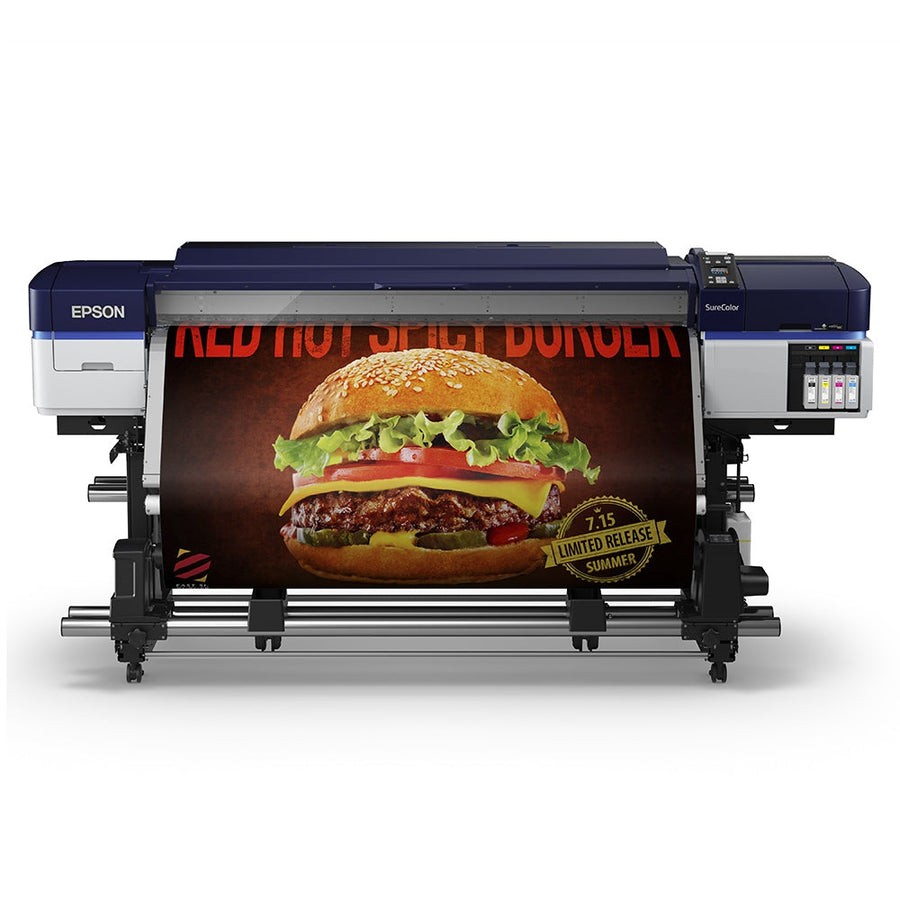
The SureColor S40600, S60600 and S80600 are Epson's 64-inch eco-solvent roll printers for signage, vinyl and banners, using UltraChrome GS3 ink. The L models feed the same printers from a separate bulk ink unit. Day to day, they need the platen and edge plates wiped, ink shaken on schedule, and a monthly regular cleaning around the head, caps and flushing pad.
Setup & first print
Daily & weekly maintenance
- Epson S40600, S60600 and S80600 clogged nozzles and banding: nozzle check, cleaning levels and feed adjustmentPrint a nozzle check from the maintenance button. If lines are missing, run Cleaning (Light), check again, then Medium, then...
- Epson S40600, S60600 and S80600 regular cleaning: print head, caps, flushing pad, wiper and waste ink bottleWipe the platen heater and media edge plates with a damp cloth every day. At least once a month, or...
Troubleshooting
- Epson S40600, S60600 and S80600 clogged nozzles and banding: nozzle check, cleaning levels and feed adjustmentPrint a nozzle check from the maintenance button. If lines are missing, run Cleaning (Light), check again, then Medium, then...
- Epson S40600, S60600 and S80600 ink cartridge not recognized, ink supply unit errors and other screen messagesAn S-Series printer only prints when every slot (or every tray on the L models) holds an ink cartridge or...
Error messages
Techniques & settings
Manuals & downloads
- Epson SureColor S40600/S60600/S80600 User's Guide (PDF)files.support.epson.com
- Epson S40600/S60600/S80600 User's Guide (online)files.support.epson.com
- Epson SC-S80600/S80600L/S60600/S60600L/S40600 Series User's Guide (CMP0207)support2.epson.net
- Epson SC-S80600/S60600/S40600 Series Operator's Guide (CMP0187)support2.epson.net
- Epson manual site for the S80600 series (all guides)support2.epson.net
Watch Epson's video: SureColor S-Series maintenance
More videos
Embedded from the manufacturer's official channel.
About the Epson SureColor S-Series (S40600, S60600, S80600)
All three printers take roll media from 11.8 to 64 inches wide, up to 1 mm thick, on 2 or 3 inch cores, and print up to 1440 x 1440 dpi with UltraChrome GS3 eco-solvent ink. They share the same media path, heaters, auto take-up reel and maintenance parts.
| Model | Heads | Ink |
|---|---|---|
| S40600 | 1 | 4 colors (CMYK) in 700 ml cartridges |
| S60600 | 2 | 4 colors, two cartridges per color |
| S80600 | 2 | Up to 10 colors, with White or Metallic Silver as the 10th |
| L models | 2 | S60600L and S80600L: ink supply units in a separate ink unit |
Epson's maintenance schedule at a glance
| When | What to do |
|---|---|
| Every day | Wipe the platen heater and media edge plates. Print a nozzle check. On the S80600, shake White or Metallic Silver |
| Every 3 weeks | Remove and shake every other ink cartridge or ink supply unit |
| Monthly | Regular cleaning: around the print head, the caps and the flushing pad |
| When asked | Replace the waste ink bottle, the maintenance parts (wiper, flushing pad, air filters), grease the carriage rod |
| Long idle | Pre-storage maintenance with cleaning cartridges, or turn the printer on at least every 7 days |
Where to put it
Epson rates these printers for 59 to 95 °F (68 to 95 °F recommended) and 20 to 80% humidity (40 to 60% recommended), without condensation. Keep them out of direct sunlight and away from heaters and air-conditioning vents, which dry out the nozzles. Use a well-ventilated, dust-free room. Leave the printer on so it can run its own head maintenance, and keep the waste ink bottle installed whenever it is powered.