




















































Machine type
 Prestige XL series (L2, XL2, XL2 Pro, XL3, XL4)
 DTF Station Prestige R2 Pro
 DTF Station Prestige R1
 DTF Station Prestige R2 (original)
 Prestige X6
 DTF Station Prestige A4
 DTF Station Prestige A3+ and A3+ R
 Epson SureColor G6070 DTF printer
 Mimaki TxF300-1600
 Mimaki TxF330-800
 STS XPD-924D DTF Printer (Mutoh)
 STS VJ-628D DTF Printer (Mutoh)
 DTF Station Vega S17
 STS XpertJet 1682D (XPJ-1682D) 64 inch DTF Printer
 STS XPD-724 DTF Printer (Mutoh)


 Hotronix Fusion IQ, Air Fusion IQ and Dual Air Fusion IQ
 Geo Knight DK20S and DK20SP Digital Knight Swing-Away Presses
 DTF Station Maxima and Proxima Dual Heat Presses
 Hotronix Auto Open Clam and Hover Heat Press
 DTF Station Prisma Auto Heat Press
 DTF Station Prisma Dual Heat Press
 DTF Station Prisma Swing Heat Press
 Insta 718, 728 and 828 Automatic Swing-Away Heat Presses
 DTF Station Prisma Sentry Heat Press
 Geo Knight DC16 and DC16AP Digital Combo Swing-Away Presses
 Geo Knight DK Digital Clamshell Presses: DK20, DK16, DKA Auto, DK8 Label and DK7 Cap
 Hotronix Auto Open Cap Press and 360 IQ Hat Press
 Hotronix Craft Heat Press 9 x 12
 Hotronix Mighty Mug Heat Press
 Insta 256 and 288 Manual Swing-Away Heat Presses
 Insta 907 Dual Station Shuttle Label Heat Press


 Viper MAXX pretreatment machine
 Ecofreen Mister-T2 and Mister-T2 Pro pretreatment machines
 Pearl Elite and Pearl PTM DTG pretreatment machines
 Viper XPT-1000 pretreatment machine
 Lawson Silver-Jet and Silver-Jet V2 DTG Pretreat Sprayers
 Lawson Zoom-AE DTG pretreatment machine
 Viper MINI handheld DTG pretreatment machine


Brand
Prestige XL series (L2, XL2, XL2 Pro, XL3, XL4)
DTF Station Prestige R2 Pro
DTF Station Prestige R1
DTF Station Prestige R2 (original)
Prestige X6
DTF Station Prestige A4
DTF Station Prestige A3+ and A3+ R
 DTF Station Aries 124 UV DTF printer
 Miro DTF Powder Shakers: Miro 13 Max, 16, 24 and 36
 DTF Station Aries 213 and Aries 113 UV DTF printers
 Seismo L16R and L24R DTF Powder Shaker and Dryer
 Phoenix Air 16x20 DTF Curing Oven
DTF Station Maxima and Proxima Dual Heat Presses
DTF Station Prisma Auto Heat Press
DTF Station Prisma Dual Heat Press
DTF Station Prisma Swing Heat Press
DTF Station Vega S17
DTF Station Prisma Sentry Heat Press
 DTF Station Seismo V36R DTF Powder Shaker and Dryer
 DTF Station Arc 127 automatic cutter for DTF and UV DTF film
 Epson SureColor F2100
Epson SureColor G6070 DTF printer
 Epson SureColor F2270
 Epson SureColor F3070
 Epson SureColor F570
 Epson SureColor F170
 Epson SureColor F6470 and F6470H
 Epson SureColor F6370
 Epson SureColor F7200
 Epson SureColor P-Series photo printers (P700, P900, P6570, P8570)
 Epson SureColor T-Series CAD and technical printers
 Epson SureColor S-Series (S40600, S60600, S80600)
Epson SureColor T-Series CAD and technical printers support
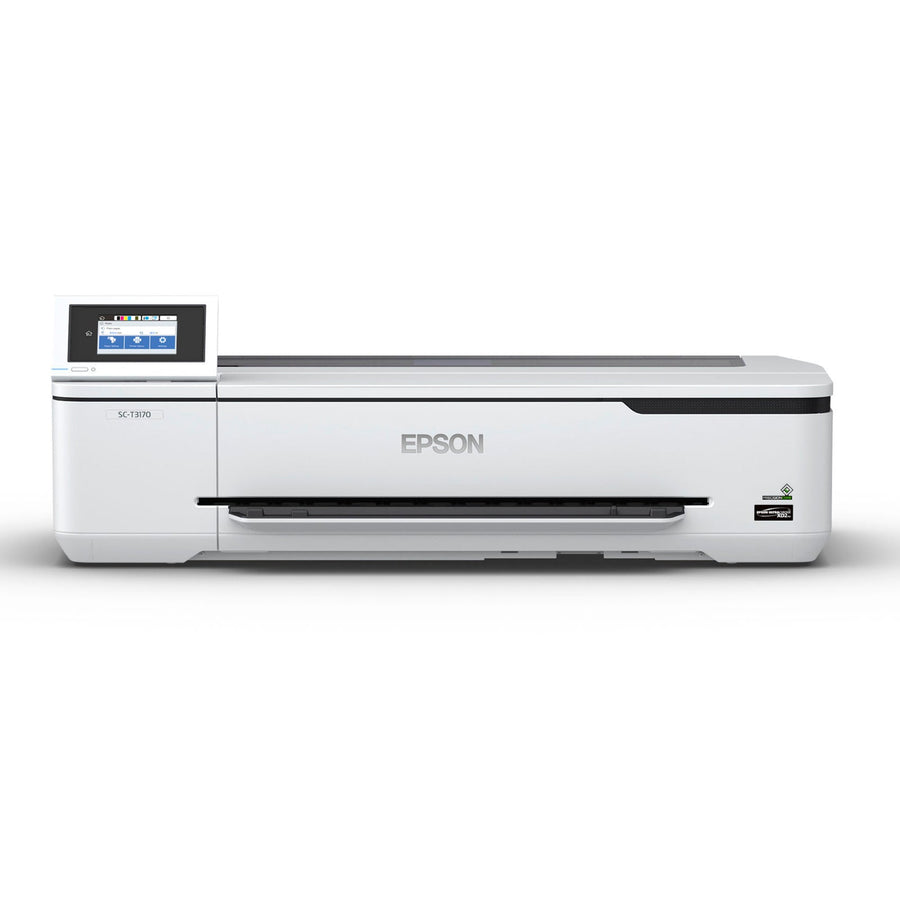
Epson's SureColor T-Series are wide-format CAD and technical printers that use pigment ink on roll paper and cut sheets. The T2170, T3170 and T5170 (plus the T3170x and the M scanner models) are one family, and the T3770, T5770 and T7770 are a newer, larger family with different ink, maintenance boxes and cutters. Most problems are a roll that doesn't fit or feed, gaps in the nozzle check, or a maintenance box or printer error message.
Setup & first print
- Epson SureColor T3170, T5170 and T2170: loading roll paper and cut sheets, rolls that won't fit, and clearing jamsThese printers take roll paper on a 2-inch core only, up to 4.33 inches across and 6.61 lb, and at...
- Epson SureColor T3770, T5770, T7770, P6570 and P8570: loading roll paper, cut sheets and poster boardThese printers take 2- or 3-inch core rolls up to 6.69 inches across and 27.55 lb (fit the core adapters...
Daily & weekly maintenance
- Epson SureColor T3170, T5170 and T2170 banding or faint prints: nozzle check, head cleaning, maintenance box and cutterPrint a nozzle check (Settings > Maintenance > Print Head Nozzle Check) and clean only if lines are broken. Run...
- Epson SureColor T3770, T5770, T7770, P6570 and P8570 maintenance: nozzle check, maintenance boxes, cap cleaning and cutterPrint a nozzle check before important jobs and clean only the color pairs with gaps. Use Power Cleaning only after...
Troubleshooting
- Epson SureColor T-Series error messages: printer error codes, maintenance requests, ink and maintenance box messagesInk, maintenance box, paper setting and network messages on a SureColor T-Series are usually owner fixes: reseat or replace the...
- Epson SureColor T3170, T5170 and T2170 banding or faint prints: nozzle check, head cleaning, maintenance box and cutterPrint a nozzle check (Settings > Maintenance > Print Head Nozzle Check) and clean only if lines are broken. Run...
- Epson SureColor T3170, T5170 and T2170: loading roll paper and cut sheets, rolls that won't fit, and clearing jamsThese printers take roll paper on a 2-inch core only, up to 4.33 inches across and 6.61 lb, and at...
- Epson SureColor T3770, T5770, T7770, P6570 and P8570: loading roll paper, cut sheets and poster boardThese printers take 2- or 3-inch core rolls up to 6.69 inches across and 27.55 lb (fit the core adapters...
Error messages
Manuals & downloads
- Epson SureColor T2170/T3170/T5170 User's Guide (PDF)files.support.epson.com
- Epson SureColor T2170/T3170/T5170 User's Guide (online)files.support.epson.com
- Epson SureColor T3170x User's Guide (PDF)files.support.epson.com
- Epson SureColor T3170M/T5170M User's Guide (PDF)files.support.epson.com
- Epson SureColor P6570/P8570/T3770/T5770/T7770 Series User's Guide (PDF)files.support.epson.com
- Epson SureColor P6570/P8570/T3770/T5770/T7770 Series User's Guide (online)files.support.epson.com
- Epson SureColor T3170 support page: drivers, manuals and FAQsepson.com
- Epson SureColor T5170 support page: drivers, manuals and FAQsepson.com
Epson's video: SureColor T2170, T3170 and T5170 product tour
More videos
Embedded from the manufacturer's official channel.
About the Epson SureColor T-Series CAD and technical printers
Epson's SureColor T-Series are pigment-ink printers for CAD drawings, blueprints, maps and posters. They print on roll paper and cut sheets, and they connect to a computer by USB or over a network. AA supports two families, and they use different ink, maintenance boxes and cutters, so check which one you have before you order supplies.
| Family | Widths | Ink | Maintenance box |
|---|---|---|---|
| T2170, T3170, T5170 | 24 in (T2170, T3170), 36 in (T5170) | UltraChrome XD2 cartridges, 4 colors | C13S210057 |
| T3170M, T5170M | 24 in, 36 in, with a built-in scanner | UltraChrome XD2 cartridges | C13S210057 |
| T3170x | 24 in | T49H ink bottles into refillable tanks | C13S210057 |
| T3770, T5770, T7770 | 24 in, 36 in, 44 in | UltraChrome XD3 with Red | C13S210115, plus borderless boxes C13S210116 |
The smaller family takes rolls on a 2-inch core only. The T3770, T5770 and T7770 take 2-inch or 3-inch cores, and the D models hold two rolls. The T5770DM and T7770DM add a scanner. The 24-inch and 44-inch SureColor P6570 and P8570 photo printers share the T3770 to T7770 manual and most of the same maintenance.
Maintenance at a glance
| When | What to do |
|---|---|
| Before an important job, or after the printer sat unused | Print a nozzle check |
| Gaps in the nozzle check | Run a head cleaning, then a stronger cleaning if gaps remain |
| When the screen asks | Replace the maintenance box (and the borderless boxes on the T3770 to T7770) |
| Cuts are ragged | Replace the cutter blade |
| About once a month (T3770 to T7770) | Wipe the outside, then clean the platen and borderless pad edges |
| After every roll job | Take the roll out and store it on its end in its box |
Where to put it
Epson rates both families for 50 to 95 °F and 20 to 80% humidity while printing. For the T3770, T5770 and T7770 Epson recommends 59 to 77 °F and 40 to 60% humidity. Keep the roll and sheet covers closed when you aren't loading paper, because dust on the paper means more head cleanings.