





















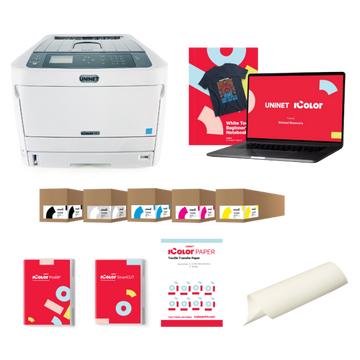





























Machine type
 Prestige XL series (L2, XL2, XL2 Pro, XL3, XL4)
 DTF Station Prestige R2 Pro
 DTF Station Prestige R1
 DTF Station Prestige R2 (original)
 Prestige X6
 DTF Station Prestige A4
 DTF Station Prestige A3+ and A3+ R
 Epson SureColor G6070 DTF printer
 Mimaki TxF300-1600
 Mimaki TxF330-800
 STS XPD-924D DTF Printer (Mutoh)
 STS VJ-628D DTF Printer (Mutoh)
 DTF Station Vega S17
 STS XpertJet 1682D (XPJ-1682D) 64 inch DTF Printer
 STS XPD-724 DTF Printer (Mutoh)


 Hotronix Fusion IQ, Air Fusion IQ and Dual Air Fusion IQ
 Geo Knight DK20S and DK20SP Digital Knight Swing-Away Presses
 DTF Station Maxima and Proxima Dual Heat Presses
 Hotronix Auto Open Clam and Hover Heat Press
 DTF Station Prisma Auto Heat Press
 DTF Station Prisma Dual Heat Press
 DTF Station Prisma Swing Heat Press
 Insta 718, 728 and 828 Automatic Swing-Away Heat Presses
 DTF Station Prisma Sentry Heat Press
 Geo Knight DC16 and DC16AP Digital Combo Swing-Away Presses
 Geo Knight DK Digital Clamshell Presses: DK20, DK16, DKA Auto, DK8 Label and DK7 Cap
 Hotronix Auto Open Cap Press and 360 IQ Hat Press
 Hotronix Craft Heat Press 9 x 12
 Hotronix Mighty Mug Heat Press
 Insta 256 and 288 Manual Swing-Away Heat Presses
 Insta 907 Dual Station Shuttle Label Heat Press


 Viper MAXX pretreatment machine
 Ecofreen Mister-T2 and Mister-T2 Pro pretreatment machines
 Pearl Elite and Pearl PTM DTG pretreatment machines
 Viper XPT-1000 pretreatment machine
 Lawson Silver-Jet and Silver-Jet V2 DTG Pretreat Sprayers
 Lawson Zoom-AE DTG pretreatment machine
 Viper MINI handheld DTG pretreatment machine


Brand
Prestige XL series (L2, XL2, XL2 Pro, XL3, XL4)
DTF Station Prestige R2 Pro
DTF Station Prestige R1
DTF Station Prestige R2 (original)
Prestige X6
DTF Station Prestige A4
DTF Station Prestige A3+ and A3+ R
 DTF Station Aries 124 UV DTF printer
 Miro DTF Powder Shakers: Miro 13 Max, 16, 24 and 36
 DTF Station Aries 213 and Aries 113 UV DTF printers
 Seismo L16R and L24R DTF Powder Shaker and Dryer
 Phoenix Air 16x20 DTF Curing Oven
DTF Station Maxima and Proxima Dual Heat Presses
DTF Station Prisma Auto Heat Press
DTF Station Prisma Dual Heat Press
DTF Station Prisma Swing Heat Press
DTF Station Vega S17
DTF Station Prisma Sentry Heat Press
 DTF Station Seismo V36R DTF Powder Shaker and Dryer
 DTF Station Arc 127 automatic cutter for DTF and UV DTF film
 Epson SureColor F2100
Epson SureColor G6070 DTF printer
 Epson SureColor F2270
 Epson SureColor F3070
 Epson SureColor F570
 Epson SureColor F170
 Epson SureColor F6470 and F6470H
 Epson SureColor F6370
 Epson SureColor F7200
 Epson SureColor P-Series photo printers (P700, P900, P6570, P8570)
 Epson SureColor T-Series CAD and technical printers
 Epson SureColor S-Series (S40600, S60600, S80600)
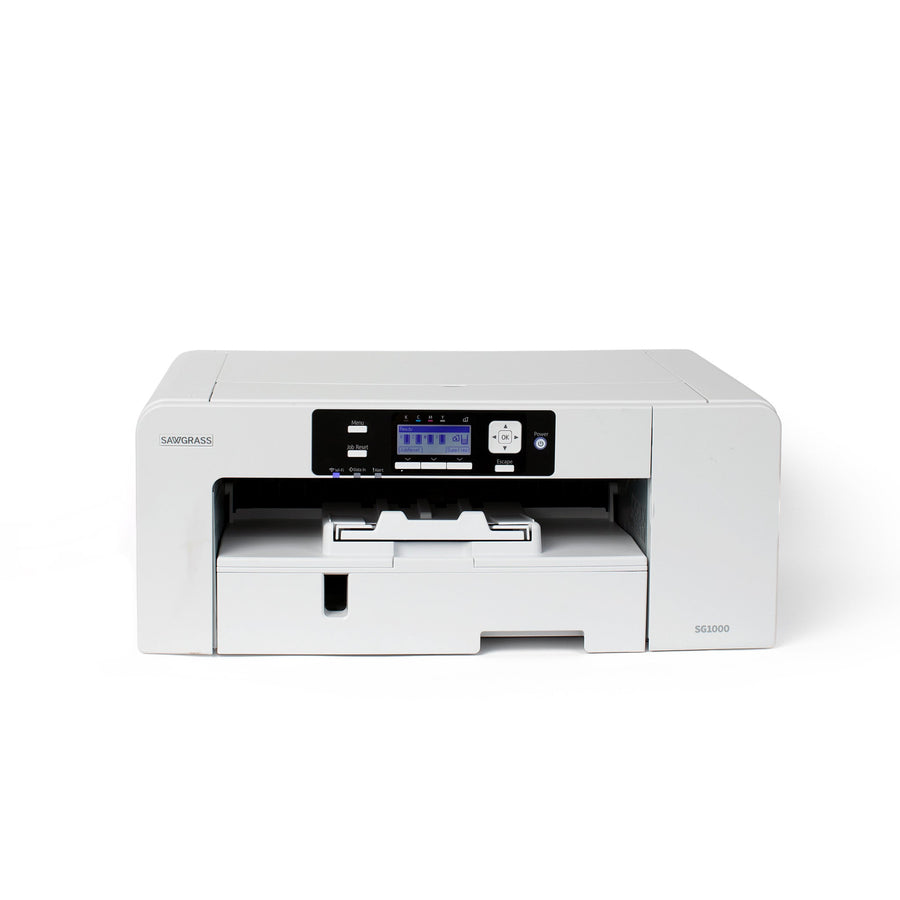
Sawgrass SG500 and SG1000 support
Everything for keeping a Sawgrass SG500 or SG1000 printing: first setup and ink install, Sawgrass Print Utility, nozzle checks and head cleans, error and jam codes, and the routine cleaning Sawgrass recommends. The most important habit is simple: leave the printer switched on so it can run its own maintenance, and print at least once or twice a week.
Setup & first print
- Sawgrass Print Utility for SG500 and SG1000: install, printer driver, ink type and USB, Ethernet or Wi-Fi connectionSG500 and SG1000 printers print through Sawgrass Print Utility, which has replaced Sawgrass Print Manager, with the MySawgrass design tool...
- Sawgrass SG500 and SG1000 setup: unboxing, ink install, first ink charge and first nozzle checkUnbox the printer, remove every piece of tape and the foam block inside, attach any optional trays, load paper, then...
Daily & weekly maintenance
- Sawgrass SG500 and SG1000 banding and missing nozzles: nozzle check, head clean, head flush and adjustmentsPrint a nozzle check first. If dashes are missing, run a head clean on just the affected head and print...
- Sawgrass SG500 and SG1000 routine maintenance: feed belt, registration sensor, waste unit, cartridges and storageLeave the printer on so it can clean itself about every 10 hours, and print at least once or twice...
Troubleshooting
- Sawgrass SG500 and SG1000 banding and missing nozzles: nozzle check, head clean, head flush and adjustmentsPrint a nozzle check first. If dashes are missing, run a head clean on just the affected head and print...
- Sawgrass SG500 and SG1000 error messages, paper jam codes and SC service codes explainedMost SG500 and SG1000 jams clear with the Form Feed key after you remove the paper, and repeat jams usually...
- Sublimation ghosting, faded colors and blurry prints: causes and fixesGhosting, a faint blurry double image, happens when the transfer paper shifts during pressing, so tape it down or use...
Error messages
Software & drivers
Techniques & settings
- Heat press time and temperature chart for HTV, DTF transfers and sublimationAlways start from the settings printed by the maker of the material you're pressing. For Prisma HTV that's 284 to...
- Sublimation ghosting, faded colors and blurry prints: causes and fixesGhosting, a faint blurry double image, happens when the transfer paper shifts during pressing, so tape it down or use...
- What can you sublimate? Polyester, coated blanks and why the blank must be white or lightSublimation only works on polyester fabric or hard items with a polymer coating, because the heat turns the ink into...
Manuals & downloads
Watch Sawgrass's video: ink, expiration dates and self-maintenance tips
More videos
Embedded from the manufacturer's official channel.
About the Sawgrass SG500 and SG1000
The SG500 and SG1000 are Sawgrass's desktop sublimation printers. Both use four cartridges and two print heads: Head 1 prints cyan and black, Head 2 prints magenta and yellow. The SG1000 is the larger of the two. Both connect by USB 2.0 or Ethernet, and the NA and EU models also have Wi-Fi (2.4 GHz only). An option tray and a bypass tray are available for each.
Sawgrass makes several ink sets for these printers, including SubliJet-UHD and VersiFlex. The ink set you install first stays with the printer for its whole life, so be sure before you open the first cartridges.
Sawgrass's maintenance routine at a glance
| How often | What to do |
|---|---|
| Always | Leave the printer on and plugged in. It runs a short automatic cleaning cycle about every 10 hours from standby. |
| Weekly | Print at least 1 to 2 jobs if you don't print daily. Print a nozzle check before a big run. |
| Every few months | Run the head position, paper feed and registration adjustments. Clean the paper feed belt and the paper registration sensor. |
| When prompted | Replace ink cartridges and the waste collection unit when the display asks. |
| Yearly | Unplug and check the power plug and cord for damage, and dust the prongs. |
Where to put it
Sawgrass recommends normal room temperature, 59 to 77°F, and 45 to 55% humidity. Dry air dries the nozzles, and humid air can make ink bleed on the paper. Keep the printer level, out of direct sun, and away from the heat press, heaters and air-conditioning vents. Leave the vent clear, and plug straight into a wall outlet, not an extension cord or multi-socket adapter.