





















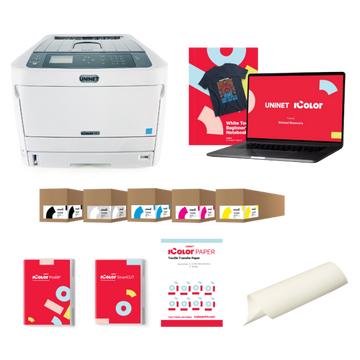





























Machine type
 Prestige XL series (L2, XL2, XL2 Pro, XL3, XL4)
 DTF Station Prestige R2 Pro
 DTF Station Prestige R1
 DTF Station Prestige R2 (original)
 Prestige X6
 DTF Station Prestige A4
 DTF Station Prestige A3+ and A3+ R
 Epson SureColor G6070 DTF printer
 Mimaki TxF300-1600
 Mimaki TxF330-800
 STS XPD-924D DTF Printer (Mutoh)
 STS VJ-628D DTF Printer (Mutoh)
 DTF Station Vega S17
 STS XpertJet 1682D (XPJ-1682D) 64 inch DTF Printer
 STS XPD-724 DTF Printer (Mutoh)


 Hotronix Fusion IQ, Air Fusion IQ and Dual Air Fusion IQ
 Geo Knight DK20S and DK20SP Digital Knight Swing-Away Presses
 DTF Station Maxima and Proxima Dual Heat Presses
 Hotronix Auto Open Clam and Hover Heat Press
 DTF Station Prisma Auto Heat Press
 DTF Station Prisma Dual Heat Press
 DTF Station Prisma Swing Heat Press
 Insta 718, 728 and 828 Automatic Swing-Away Heat Presses
 DTF Station Prisma Sentry Heat Press
 Geo Knight DC16 and DC16AP Digital Combo Swing-Away Presses
 Geo Knight DK Digital Clamshell Presses: DK20, DK16, DKA Auto, DK8 Label and DK7 Cap
 Hotronix Auto Open Cap Press and 360 IQ Hat Press
 Hotronix Craft Heat Press 9 x 12
 Hotronix Mighty Mug Heat Press
 Insta 256 and 288 Manual Swing-Away Heat Presses
 Insta 907 Dual Station Shuttle Label Heat Press


 Viper MAXX pretreatment machine
 Ecofreen Mister-T2 and Mister-T2 Pro pretreatment machines
 Pearl Elite and Pearl PTM DTG pretreatment machines
 Viper XPT-1000 pretreatment machine
 Lawson Silver-Jet and Silver-Jet V2 DTG Pretreat Sprayers
 Lawson Zoom-AE DTG pretreatment machine
 Viper MINI handheld DTG pretreatment machine


Brand
Prestige XL series (L2, XL2, XL2 Pro, XL3, XL4)
DTF Station Prestige R2 Pro
DTF Station Prestige R1
DTF Station Prestige R2 (original)
Prestige X6
DTF Station Prestige A4
DTF Station Prestige A3+ and A3+ R
 DTF Station Aries 124 UV DTF printer
 Miro DTF Powder Shakers: Miro 13 Max, 16, 24 and 36
 DTF Station Aries 213 and Aries 113 UV DTF printers
 Seismo L16R and L24R DTF Powder Shaker and Dryer
 Phoenix Air 16x20 DTF Curing Oven
DTF Station Maxima and Proxima Dual Heat Presses
DTF Station Prisma Auto Heat Press
DTF Station Prisma Dual Heat Press
DTF Station Prisma Swing Heat Press
DTF Station Vega S17
DTF Station Prisma Sentry Heat Press
 DTF Station Seismo V36R DTF Powder Shaker and Dryer
 DTF Station Arc 127 automatic cutter for DTF and UV DTF film
 Epson SureColor F2100
Epson SureColor G6070 DTF printer
 Epson SureColor F2270
 Epson SureColor F3070
 Epson SureColor F570
 Epson SureColor F170
 Epson SureColor F6470 and F6470H
 Epson SureColor F6370
 Epson SureColor F7200
 Epson SureColor P-Series photo printers (P700, P900, P6570, P8570)
 Epson SureColor T-Series CAD and technical printers
 Epson SureColor S-Series (S40600, S60600, S80600)
Prestige R2 Pro and R2 Impact Stop error and head strikes: causes, fixes and prevention
Impact Stop means something pushed the head-strike sensor guard: usually film that has lifted or buckled, a media guide, or the wiper blade. Turn the printer off, lift the pinch roller lever, straighten the film, lower the lever and power back on. If the error returns with nothing in the way, the sensor guard is probably bent and needs straightening. After any real head strike, clean under the head, because residue left there makes nozzles fade weeks later.
Match your symptom
| What you see | Likely cause | Go to |
|---|---|---|
| Impact Stop once, film visibly lifted | Film buckled into the carriage path | Step 1 |
| Impact Stop keeps coming back, nothing in the way | Bent or low sensor guard | Steps 2 and 3 |
| Ink smears or streaks across the film | Head touching the film | Steps 4 and 5 |
| Lines running the length of the film | Film rubbing something as it feeds | Step 5 |
Step by step
-
Reset after an Impact Stop
Before you reset, note where the carriage stopped and what touched the guard (the film, a media guide or the wiper blade) and take a photo. Turn the printer off. Lift the pinch roller lever, straighten the film so it lies flat, and lower the lever. Turn the printer on and let it initialize until the status shows Idle.
-
Straighten a bent sensor guard
A bent guard can hold the sensor in the triggered position. With the printer off, turn the capping station knob counterclockwise to lower the station and hold it there, then push the carriage to the center by hand. Loosen the two screws on the head-strike sensor guard, slide the guard up and off, and gently bend it back to shape if it's bent. Reinstall it and tighten the two screws. There should be a visible gap between the guard and the sensor, so the guard only presses the sensor when something hits it.
-
Check the guard height
If the guard sits so low that it rubs the bed or the media guides, raise it. DTF Station uses a quarter laid flat under the guard as a height reference. Leave a little space under the guard. Power on and confirm the carriage docks without an alarm.
-
Clean up after a head strike
Wet a swab or lint-free cloth with 99% isopropyl alcohol and clean the front and back of both head-strike sensors, holding each one so it doesn't bend. Then, with the head moved off the caps, clean around the print head with cleaning solution. Never touch the nozzle face itself. Press Enter to cap the head and print a nozzle check.
-
Stop it happening again
- Load the film straight and taut from the back, and bring the media guides in only far enough to cover the film edges. They hold the film down. They shouldn't squeeze it.
- Clean the pinch rollers dry every week. Dirty rollers slip and let the film wander.
- Make sure the film roll at the back isn't rubbing the ink bay. If it is, lower the feed reel by turning both of its feet counterclockwise, evenly, and check the printer is still level.
- Wipe the tension rod with 99% isopropyl alcohol if lines appear along the film.
- Pause the job right away if you see the film lifting or pulling.
A hard head strike can knock the carriage height out. If you've had one and nozzles won't recover, text us before adjusting the carriage height yourself.
Still getting Impact Stop? Text us a photo or short video at (562) 609-4996 showing where the carriage stops.
Watch DTF Station's video: troubleshooting Impact Stop and carriage slamming
Embedded from the manufacturer's official channel.
Common questions
The head touched the film but there was no Impact Stop. Is that possible?
Yes. The guard sits slightly above the nozzles, so small bumps can smear the head without tripping the sensor. Look for ink smears or streaks on the film along the carriage path.
Why are my nozzles fading weeks after a head strike?
Powder and film residue picked up under the head get spread across the nozzles by the wiper during each cleaning. Clean around the head and the head-strike sensors as described here, then follow our nozzle check guide.
My prints have lines. Is that a head strike?
Lines that run side to side, the way the carriage moves, point to the carriage area: dirty head-strike sensors or head strike marks. Lines that run the length of the film point to feeding: pinch rollers, the tension rod, or the film roll rubbing the ink bay.
The carriage slams into the right side. What now?
Fix the sensor guard first. If it still slams, the carriage position needs recalibrating in the control software. Text us and we'll do it with you.
- DTF Station: Prestige and Aries, how to troubleshoot an Impact Stop error
- DTF Station: Prestige R2, Impact Stop and carriage slamming to the right
- DTF Station: Prestige R2 Pro, resolving vertical or horizontal lines on film and prints
- DTF Station: Prestige R2, adjusting the media feed reel height
- DTF Station technical documentation
- AA and DTF Station support requests about Impact Stop and head strikes, 2024 to 2026