





















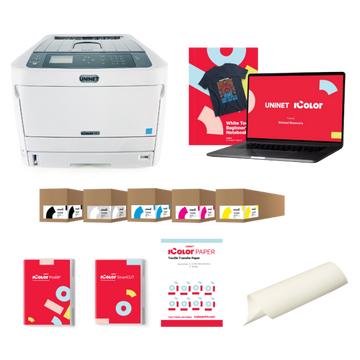





























Machine type
 Prestige XL series (L2, XL2, XL2 Pro, XL3, XL4)
 DTF Station Prestige R2 Pro
 DTF Station Prestige R1
 DTF Station Prestige R2 (original)
 Prestige X6
 DTF Station Prestige A4
 DTF Station Prestige A3+ and A3+ R
 Epson SureColor G6070 DTF printer
 Mimaki TxF300-1600
 Mimaki TxF330-800
 STS XPD-924D DTF Printer (Mutoh)
 STS VJ-628D DTF Printer (Mutoh)
 DTF Station Vega S17
 STS XpertJet 1682D (XPJ-1682D) 64 inch DTF Printer
 STS XPD-724 DTF Printer (Mutoh)


 Hotronix Fusion IQ, Air Fusion IQ and Dual Air Fusion IQ
 Geo Knight DK20S and DK20SP Digital Knight Swing-Away Presses
 DTF Station Maxima and Proxima Dual Heat Presses
 Hotronix Auto Open Clam and Hover Heat Press
 DTF Station Prisma Auto Heat Press
 DTF Station Prisma Dual Heat Press
 DTF Station Prisma Swing Heat Press
 Insta 718, 728 and 828 Automatic Swing-Away Heat Presses
 DTF Station Prisma Sentry Heat Press
 Geo Knight DC16 and DC16AP Digital Combo Swing-Away Presses
 Geo Knight DK Digital Clamshell Presses: DK20, DK16, DKA Auto, DK8 Label and DK7 Cap
 Hotronix Auto Open Cap Press and 360 IQ Hat Press
 Hotronix Craft Heat Press 9 x 12
 Hotronix Mighty Mug Heat Press
 Insta 256 and 288 Manual Swing-Away Heat Presses
 Insta 907 Dual Station Shuttle Label Heat Press


 Viper MAXX pretreatment machine
 Ecofreen Mister-T2 and Mister-T2 Pro pretreatment machines
 Pearl Elite and Pearl PTM DTG pretreatment machines
 Viper XPT-1000 pretreatment machine
 Lawson Silver-Jet and Silver-Jet V2 DTG Pretreat Sprayers
 Lawson Zoom-AE DTG pretreatment machine
 Viper MINI handheld DTG pretreatment machine


Brand
Prestige XL series (L2, XL2, XL2 Pro, XL3, XL4)
DTF Station Prestige R2 Pro
DTF Station Prestige R1
DTF Station Prestige R2 (original)
Prestige X6
DTF Station Prestige A4
DTF Station Prestige A3+ and A3+ R
 DTF Station Aries 124 UV DTF printer
 Miro DTF Powder Shakers: Miro 13 Max, 16, 24 and 36
 DTF Station Aries 213 and Aries 113 UV DTF printers
 Seismo L16R and L24R DTF Powder Shaker and Dryer
 Phoenix Air 16x20 DTF Curing Oven
DTF Station Maxima and Proxima Dual Heat Presses
DTF Station Prisma Auto Heat Press
DTF Station Prisma Dual Heat Press
DTF Station Prisma Swing Heat Press
DTF Station Vega S17
DTF Station Prisma Sentry Heat Press
 DTF Station Seismo V36R DTF Powder Shaker and Dryer
 DTF Station Arc 127 automatic cutter for DTF and UV DTF film
 Epson SureColor F2100
Epson SureColor G6070 DTF printer
 Epson SureColor F2270
 Epson SureColor F3070
 Epson SureColor F570
 Epson SureColor F170
 Epson SureColor F6470 and F6470H
 Epson SureColor F6370
 Epson SureColor F7200
 Epson SureColor P-Series photo printers (P700, P900, P6570, P8570)
 Epson SureColor T-Series CAD and technical printers
 Epson SureColor S-Series (S40600, S60600, S80600)
xTool OS1 cleaning: sensors, waste-powder bin, inspection window and dirty powder
Brush the OS1's film detection sensor every day before printing, clean the shaking motion sensor and delivery slot and empty the waste-powder bin weekly, and clean the film output sensor and glycerin container monthly. Use the brush from the box and nitrile gloves, and only open the maintenance door when the oven is off and cool. Powder on the sensors is a leading cause of false errors.
Adhesive powder gets everywhere in a shaker oven, and powder on a sensor is one of the main causes of false errors. xTool's cleaning schedule is below. Frequency depends on how much you print, so treat it as a minimum.
xTool's cleaning schedule
| Part | How often | Clean it when |
|---|---|---|
| Film detection sensor | Daily | Before you start printing |
| Shaking motion sensor | Weekly | Right away if the panel asks you to clear film or powder from the powder area |
| Delivery slot | Weekly | Powder builds up under the slot |
| Waste-powder bin | Weekly or as needed | It is getting full |
| Film output sensor | Monthly or as needed | You get "delivery slot full" after clearing film, or a film output error |
| Glycerin container | Monthly or as needed | It is full or has overflowed |
| Inspection window | As needed | Powder blocks your view |
| Film fork-lifter | As needed | Ink smudges or powder build up on the fork |
| Powder bin area | As needed | Powder piles up around it |
What you need
- The cleaning brush from the OS1 box (some parts must only be cleaned with it)
- A paint brush and a lint-free cloth
- Nitrile gloves
- A Phillips screwdriver
- A trash bin, and a container for the glycerin
Turn the oven off and let it cool completely before you open the maintenance door. The heating tubes inside stay hot long after a job, and opening the door mid-job stops processing.
The routine
-
Sensors first
Lift off the magnetic cover and brush the film detection sensor gently with the supplied brush. Tap its housing lightly to shake out packed powder, and brush the area around it too, since powder around a sensor reflects light and causes false readings.
-
Inspection window
The window is cleaned from inside: remove the magnetic cover to reach it.
-
Waste-powder bin
Pull the bin out, empty it, and slide it back in. Waste powder is TPU; dispose of it according to your local rules.
-
Delivery slot and fork-lifter
Brush out powder under the delivery slot and check the waste bin at the same time. Wipe ink or powder off the fork-lifter.
-
Glycerin container
Empty it into your own container before it overflows.
-
Maintenance door
If you need inside: power off, wait for it to cool, take the narrow end of the double-end screwdriver bit, remove the door screw, press the round pull and open the door. Close it and refit the screw before you power on again.
Dirty or damp powder
- Black specks in the powder are tiny ink particles. A few do no harm. If there are a lot, open the powder discharge switch, tap the temperature icon, scroll to Dirty powder discharge and tap Start up. Empty the old powder and refill with fresh.
- Damp or clumpy powder: if mildly damp, spread it out to dry in a dry, low-humidity spot. If badly clumped, replace it.
- Too much powder: never fill past the red line (2 kg). Overfilling causes powder build-up and weak shaking. Scoop out the excess.
Silicone sleeves on the heating tubes turning white is normal and does not affect the oven. For anything else that looks wrong inside, text us a photo at (562) 609-4996.
Watch xTool's video: daily cleaning guide for the OS1 Shaker Oven
Embedded from the manufacturer's official channel.
Common questions
Why does powder on a sensor matter?
xTool says buildup on the sensors can cause false error readings and malfunctions. Brushing them is the first fix for many errors.
How do I get rid of powder full of black dots?
Tap the temperature icon, scroll to Dirty powder discharge and tap Start up (with the discharge switch open), then refill with fresh powder.
Can I reuse damp powder?
If it is only mildly damp, dry it out in a dry, low-humidity spot. Badly clumped powder should be replaced.
The heating tube sleeves have gone white. Is that damage?
No. xTool says it is only a color change from contact with the hot tubes.